
If you’ve ever wondered why some businesses appear on top of Google Maps while others stay buried below, you’re not alone. Many business owners create a Google Business Profile (GBP), hoping to attract customers, only to find little to no visibility. The problem is that Google’s algorithm is complex. It doesn’t just rely on basic profile setup but evaluates several ranking factors that determine who gets the spotlight. The frustration deepens when your competitors seem to dominate search results even with similar services or locations. That’s because they’ve mastered the hidden rules behind Google’s local ranking system. The good news? You can too. Microhound will help you decode the Google Business Profile algorithm step-by-step so you can improve your visibility, earn customer trust, and bring more traffic to your business without guesswork.
Table of Contents
- Understanding the Google Business Profile Algorithm
- Optimizing Your Business Information for Maximum Visibility
- Leveraging Photos, Posts, and Reviews to Improve Engagement
- Tracking Performance with Insights and Analytics
- Common Mistakes and Advanced Strategies for Better Rankings
- Mastering the Algorithm, One Step at a Time
- Quick FAQs About Google Business Profile
Understanding the Google Business Profile Algorithm
Google’s local algorithm relies on three main pillars: relevance, distance, and prominence. Relevance ensures your profile matches what users are searching for, while distance focuses on how close you are to the searcher’s location. Prominence, on the other hand, reflects how well-known and trusted your business is online. Together, these determine your local pack ranking: the top three map results that most users click first. To succeed, you need a consistent strategy that improves each factor. Updating your business details, gathering reviews, and engaging with customers all send positive ranking signals to Google. Think of it as teaching Google why your business deserves to be seen first. The more optimized your profile, the easier it is for the algorithm to understand and recommend your services.
How the GBP Algorithm Determines Local Rankings
Google uses hundreds of micro-signals when ranking businesses. These include keywords in your profile, customer interactions, and your category selection. Relevance plays a vital role. Your business must clearly match user intent. For instance, if someone searches “best coffee near me,” Google identifies profiles categorized under “coffee shop” with recent updates and good reviews. Local rankings aren’t static. They fluctuate depending on search trends, updates, and competitor activity. That’s why consistent optimization helps maintain your visibility. The algorithm rewards businesses that remain active and customer-focused, not just those with old listings.
The Role of User Behavior and Engagement Metrics
Engagement metrics tell Google how valuable your listing is to users. If people click, call, request directions, or spend time on your photos, Google assumes your business is relevant and trustworthy. The more interactions your listing receives, the higher your chance to rank in the top spots. Encourage users to interact by adding fresh posts, responding to reviews, and updating your information regularly. Google loves active listings because they create a better experience for users and that’s what the algorithm prioritizes most.
Why Continuous Optimization Matters
The Google Business Profile algorithm is always evolving. Profiles that remain stagnant tend to drop in rankings because Google values recent activity. Regular updates, from new photos to posts or reviews, help your listing stay fresh and visible. Optimization is not a one-time task but an ongoing effort. By continuously improving your business profile, you build a stronger reputation, reinforce trust, and keep your business in Google’s spotlight. RELATED: The Power of Local SEO for Your Small Business in Charlotte, NC
Optimizing Your Business Information for Maximum Visibility
Your business information is the foundation of your visibility online. A complete and accurate profile helps Google connect you with the right audience. This includes your Name, Address, Phone number (NAP), business hours, and website. When these details are consistent across all platforms, it signals reliability and strengthens your authority in local search results. Moreover, well-structured business information improves your click-through rate. A detailed profile gives customers confidence that your business is legitimate and active. The more trustworthy your listing appears, the more likely users will choose you over competitors.
The Importance of Consistent NAP (Name, Address, Phone Number)
Google’s algorithm cross-references your NAP information across the web. If your address or phone number differs from other directories, it can confuse both search engines and users. Consistency tells Google that your business is stable and legitimate, which directly influences your local ranking. Always ensure your NAP data matches on platforms like Yelp, Facebook, and your website. Small mismatches, such as abbreviations or formatting errors, can harm your visibility and credibility. 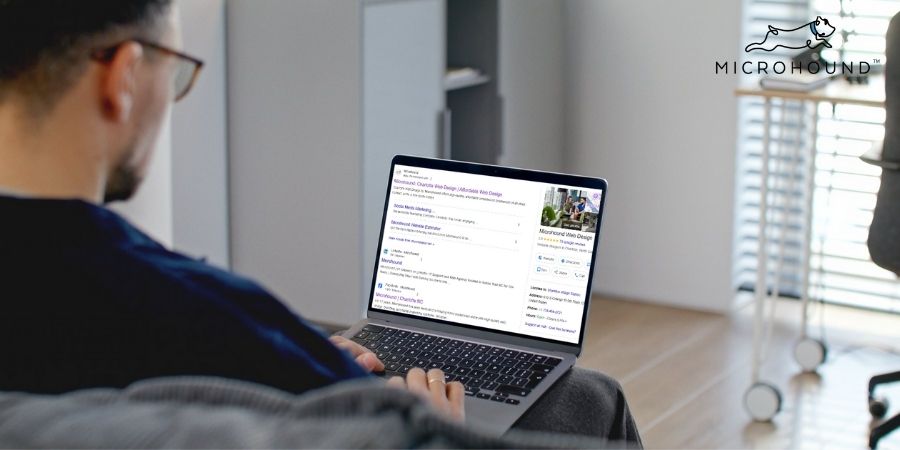
Choosing the Right Business Categories and Attributes
Selecting accurate categories helps Google understand your business better. Your primary category should represent your main offering, while secondary categories can highlight additional services. For example, a roofing company may choose “Roofing Contractor” as the primary category and “Gutter Installation” or “Siding Contractor” as secondary ones. Attributes like “wheelchair accessible” or “family-friendly” enhance your visibility for specific searches.
Crafting an Engaging Business Description
Your business description is your elevator pitch to potential customers. Use clear, keyword-rich sentences that explain what makes your business unique. For example, highlight your experience, specialties, and service areas without overloading it with keywords. Keep your tone conversational and authentic. End with a call-to-action such as “Visit us today” or “Call now for a free consultation.” Quick optimization tips:
- Include main and secondary keywords naturally.
- Mention service areas and specialties.
- Focus on readability and tone, not keyword stuffing.
Leveraging Photos, Posts, and Reviews to Improve Engagement
High engagement is one of the strongest ranking signals on Google Business Profile. A visually appealing and frequently updated profile attracts more clicks, calls, and visits. Adding posts, responding to reviews, and sharing updates create trust and show activity, which are things Google loves to reward. Customers often decide based on first impressions. Businesses with fresh images, positive reviews, and regular updates appear more professional and credible. By focusing on engagement, you encourage more interactions that fuel your ranking.
How High-Quality Photos Boost Click-Through Rates
Photos are the first thing users notice on your profile. High-resolution images of your products, team, and location increase customer trust and interaction. Google prioritizes listings with recent, well-tagged photos because they indicate authenticity and activity. Try uploading new images weekly. Include captions and geotags to enhance visibility. A profile filled with genuine visuals outperforms one with outdated or stock photos.
Using Google Posts Strategically
Google Posts act like mini social media updates directly on your business profile. Use them to share offers, announcements, or tips that resonate with your audience. Each post keeps your profile active and helps Google understand your ongoing relevance. Add engaging visuals, a clear headline, and a call-to-action link. RELATED: How are Marketers Using Social Media
Managing and Responding to Reviews
Reviews are the heart of your online reputation. The algorithm favors businesses that receive consistent, high-quality feedback. Responding to both positive and negative reviews shows Google that you value your customers. Encourage happy clients to share their experiences and reply with gratitude or solutions. Remember, even a negative review handled well can build credibility. Engagement checklist:
- Request reviews after every service.
- Reply to all feedback promptly.
- Add new photos regularly.
Tracking Performance with Insights and Analytics
Google Business Profile Insights provide valuable data on how users discover and interact with your listing. These metrics help you measure your success and refine your strategy. By studying user behavior, you can identify what’s working and where improvements are needed. Monitoring insights ensures your efforts remain data-driven. Whether it’s adjusting your posting frequency, photo uploads, or response time, these insights let you adapt quickly for better visibility and engagement.
Key Metrics That Reflect GBP Success
Metrics like discovery searches, direction requests, website clicks, and phone calls show how users engage with your listing. A steady increase in these metrics indicates growing visibility and trust. Tracking these data points monthly helps you make informed decisions. For example, if call clicks rise after posting new photos, that’s a clear sign your visual strategy is working.
Understanding Audience Behavior from Insights
Insights reveal where users find you, through Maps or Search, and what actions they take. If most customers find you via discovery searches, focus on strengthening keyword relevance. By knowing your audience’s habits, you can optimize posting times, services, and photos to match their interests. RELATED: Preventing the Google Maps Scam: Protect Your Google Business Profile and SEO Ranking 
Integrating GBP Data with Google Analytics
Connecting your profile to Google Analytics allows a full picture of your customer journey. You’ll see how many users visit your website, what pages they view, and which listings drive the most conversions. This connection helps align your local SEO strategy with your website goals.
Common Mistakes and Advanced Strategies for Better Rankings
Many businesses fail to leverage the full potential of their Google Business Profile. Common errors, such as inconsistent information or infrequent updates, can drastically hurt visibility. Understanding these mistakes and implementing advanced strategies ensures long-term success. By fine-tuning your optimization techniques, you strengthen your position against competitors. Whether through schema markup or consistent posting, small improvements can create massive gains.
Avoiding the Most Common GBP Pitfalls
Errors like duplicate listings, missing categories, and unverified profiles confuse Google’s algorithm. These issues reduce your credibility and visibility. Regularly audit your profile to remove outdated content and ensure accuracy. Keep your information updated during holidays or relocations to avoid losing customers.
Implementing Advanced Local SEO Techniques
Take optimization a step further with techniques like schema markup, geo-tagged photos, and localized keywords. Schema markup helps Google understand your business details more effectively. Additionally, geo-tagging photos reinforces your location’s relevance. When combined with local keywords, these methods boost your authority. RELATED: Schema Markup for Local SEO
Staying Updated with Google’s Algorithm Changes
Google updates its algorithm frequently, impacting how local rankings are determined. Staying informed helps you adapt before competitors do. Subscribe to SEO blogs and test new features early. Adaptability and continuous learning are your best allies for consistent visibility.
Mastering the Algorithm, One Step at a Time
Decoding the Google Business Profile algorithm may seem daunting at first, but with the right strategy, any business can rise to the top. From optimizing your information and photos to monitoring insights and adapting to updates, success lies in consistency and engagement. The more Google sees your business as active, relevant, and trustworthy, the higher you’ll appear in local results. With every photo, post, and review, you signal reliability, which is something both Google and customers value deeply.
Your visibility on Google isn’t luck — it’s strategy done right.
Microhound helps local businesses grow their visibility through expert Google Business Profile optimization, local SEO, and custom web design built for performance. We focus on real results: more calls, more clicks, and more conversions for your brand. Get started by exploring our services or contact our team today at 704-862-4047 for a free consultation. Let’s make your business impossible to ignore on Google.
Turn your Google listing into your strongest lead generator with Microhound today!
Our Services Include:
Quick FAQs About Google Business Profile
How does the Google Business Profile algorithm work?
The Google Business Profile algorithm ranks profiles based on three main factors: relevance, distance, and prominence. It evaluates how well your listing matches user intent, your proximity to the searcher, and your overall reputation online.
What are the best ways to optimize my Google Business Profile?
Keep your business name, address, and phone number (NAP) consistent. Add high-quality photos, write a keyword-rich description, select accurate categories, and encourage customer reviews. Posting weekly updates also improves your performance.
How often should I update my Google Business Profile?
It’s best to update your profile at least once a week. Frequent activity, such as adding photos or replying to reviews, shows Google your business is engaged and current.
YOU’LL ALSO LIKE: